FREE PRINTABLE: One A4 page. No email or sign-up needed.
Free Printable Protein Tracker
A one-page sheet to write down what you eat at each meal and add up the protein for the day.
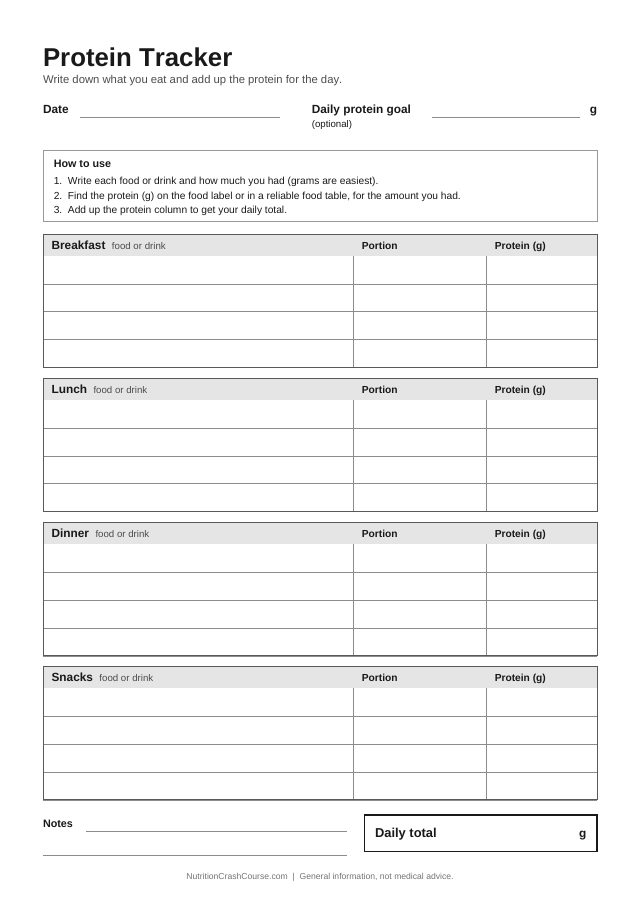
How to use the protein tracker
- Write down each food or drink under the right meal, with how much you had. Grams are easiest if you can weigh food or read them from the pack.
- Find the protein for that amount on the food label or in a reliable food table, and write it in the Protein (g) column.
- Add up the protein column at the end of the day and write the result in the Daily total box.
Where to find protein numbers
Food packaging. In the UK and EU, the nutrition table on packaged food shows protein per 100 g (or 100 ml), and sometimes per portion too. US Nutrition Facts labels show protein per serving. Check whether your portion matches the amount on the label.
Scaling to your portion. Protein for your portion = protein per 100 g × grams eaten ÷ 100. For example, if a label says 10 g per 100 g and you ate 150 g, write 15 g.
Foods without a label, such as fruit, vegetables or loose meat and fish: use a reliable food composition table, such as USDA FoodData Central or the UK government’s CoFID dataset. Our protein per 100 g table lists common foods using USDA values. Check whether a value is for raw or cooked food, as the weight changes with cooking.
The sheet does not set a target for you. If you want a general reference point, the protein calculator shows UK and EU adult reference amounts. If you are pregnant, under 18, or have kidney disease or another medical condition, ask a doctor or registered dietitian before changing how much protein you eat.
Common question
Do I have to fill in the daily protein goal?
No. The goal box is optional. You can use the tracker simply to see how much protein you eat now. If a doctor or dietitian has given you a goal, you can write it there.
Ready to print?
Download Free Protein Tracker (PDF)